
Build a Winning AI-Driven Market Research Workflow
Build a Winning AI-Driven Market Research Workflow
TL;DR:
- Manual research wastes time and hinders sales pipeline growth in mid-sized B2B companies.
- AI-driven workflows improve data quality, integration, and personalization, boosting reply rates and pipeline outcomes.
- Successful AI deployment relies on clean data, human oversight, continuous iteration, and strong cross-team collaboration.
Manual research is quietly killing your pipeline. Sales reps at mid-sized B2B companies spend hours each week digging through LinkedIn profiles, bouncing between spreadsheets, and hand-qualifying contacts that may never convert. That is time stolen from actual selling. AI-driven prospecting workflows can cut manual research by 50% or more and shift your reps from admin work to closing deals. This guide walks you through exactly how to build that workflow, from setting up the right foundation to measuring real business outcomes, including what to watch for when things go sideways.
Table of Contents
- What you need for an AI-driven market research workflow
- Step-by-step: Build your AI-driven research workflow
- Troubleshooting and common pitfalls of AI in B2B research
- What success looks like: Verification and outcomes
- Why most AI market research workflows fail—and how to fix it
- Take your AI-driven sales workflow to the next level
- Frequently asked questions
Key Takeaways
| Point | Details |
|---|---|
| AI saves time | AI-driven workflows cut manual research in half, letting sales reps focus on closing more deals. |
| Quality data matters | Strong results depend on clean, integrated data and ongoing human review for accuracy. |
| Hybrid approach wins | Combining AI automation with human insight drives higher reply rates and trust. |
| Clear ROI benchmarks | Expect pipeline growth, higher reply rates, and rapid payoff when implemented well. |
What you need for an AI-driven market research workflow
Before building your workflow, it is crucial to ensure your team has the right foundation. Skipping this step is the single fastest way to get a system that feels impressive in a demo but delivers garbage results in production.
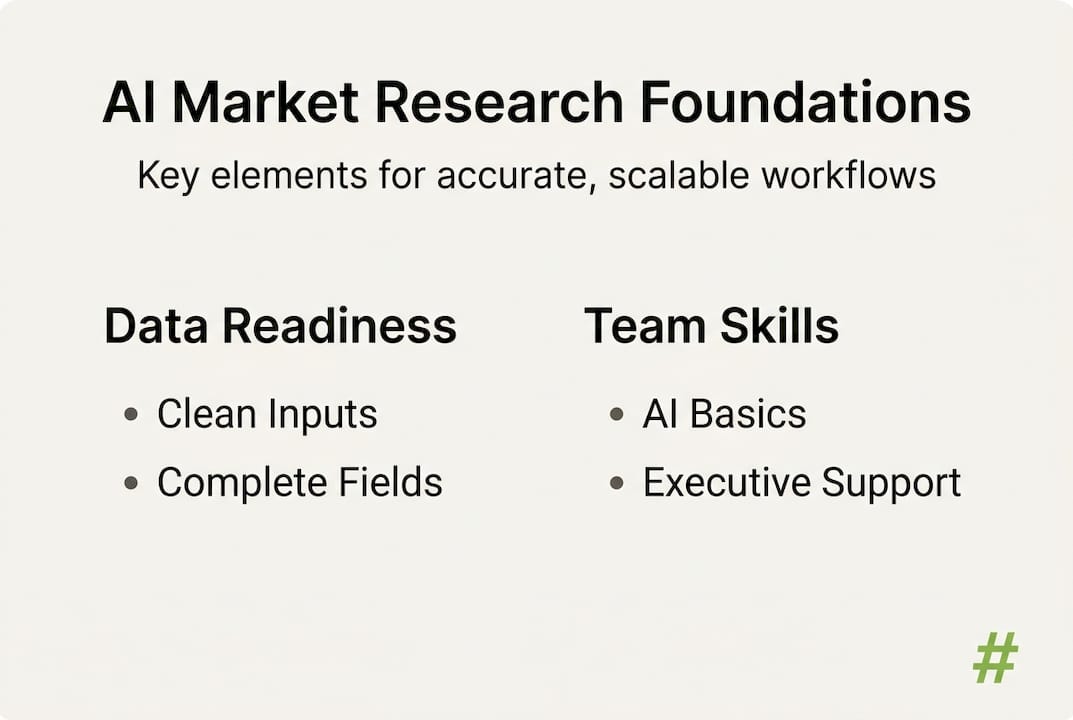
Data quality comes first. Data readiness is the biggest constraint for AI workflows, and most teams underestimate how messy their existing data really is. Your CRM records, LinkedIn exports, event attendee lists, and firmographic data all need to be clean, consistent, and accessible. Duplicate contacts, stale email addresses, and missing job titles will poison your AI outputs before the first campaign launches.
Your tech stack must integrate. Standalone tools that do not talk to each other create data silos. You need platforms that connect natively or through an API layer. Tools like Apollo or ZoomInfo work well because they combine database access with enrichment capabilities. Pair these with an AI sales workflow layer and you have a connected system rather than a patchwork of apps.
Here is what your stack should cover:
- Data sourcing: LinkedIn Sales Navigator, event databases, intent data providers
- Enrichment: Apollo, ZoomInfo, Clearbit
- AI filtering and research agents: Custom GPT agents or integrated AI modules
- Outreach sequencing: Smartlead, Instantly, or similar tools
- CRM sync: HubSpot or Salesforce for handoff and tracking
Skillsets and executive buy-in matter more than software. Your ops team needs basic AI literacy. Sales leaders need to trust the system enough to let it run. Without cross-team alignment, even the best workflow gets abandoned after the first hiccup.
| Requirement | Why it matters | Common gap |
|---|---|---|
| Clean CRM data | AI enrichment builds on your base | Duplicate and stale records |
| Integrated platform | Avoids manual data transfer | Tools that do not connect |
| AI-literate ops team | Manages and iterates the workflow | No ownership assigned |
| Executive sponsorship | Drives adoption across sales | Seen as an IT project only |
Pro Tip: Before purchasing any AI tool, audit your CRM for completeness. Run a report on what percentage of contacts have a valid email, job title, and company size. If that number is below 70%, fix the data first.
Step-by-step: Build your AI-driven research workflow
Once your foundational elements are in place, it is time to assemble your optimized workflow. Think of this as building an always-on research team that never sleeps, never gets bored, and never forgets to follow up.
Step 1: Load and discover target accounts. Pull accounts from multiple sources simultaneously. LinkedIn, PDF directories, conference attendee lists, and intent data platforms all feed your top-of-funnel. The goal is volume with relevance, not just volume. You want accounts that match your ideal customer profile by industry, revenue band, headcount, and technology stack.
Step 2: Use AI for smart filtering and enrichment. This is where AI earns its place. Instead of a rep manually checking each company, AI agents scan firmographic data, flag revenue ranges, identify tech usage, and surface recent company signals like funding rounds or leadership changes. AI-driven workflows typically cut manual research by more than 50% and increase qualified leads by up to 50%.

Step 3: Prioritize with intent signals. Not all accounts deserve equal attention. AI prioritizes based on buying signals: a company that just raised a Series B and hired a new VP of Sales is far more likely to be in buying mode than one that has been dormant for eight months.
Step 4: Personalize outreach at scale. AI drafts the first version of each message, pulling in recent news, company context, and role-specific pain points. Human reviewers check the drafts before sending. This keeps quality high without adding headcount. Review the full AI prospecting blueprint for sequencing specifics.
Step 5: Run automated sequences with human checkpoints. Automated follow-up runs the cadence. Humans step in when a prospect replies or shows unusual engagement. This hybrid model protects your sender reputation while maximizing coverage.
| Workflow stage | AI role | Human role |
|---|---|---|
| Account discovery | Pulls and deduplicates sources | Sets ICP criteria |
| Enrichment | Appends firmographic and contact data | Reviews accuracy |
| Prioritization | Scores accounts by intent signals | Validates top tier |
| Personalization | Drafts messages with context | Edits and approves |
| Sequencing | Runs follow-ups automatically | Handles replies |
Pro Tip: Set a human review gate at the personalization step. Even 10 minutes of spot-checking per batch can prevent a poorly worded message from going to your top 20 target accounts.
Troubleshooting and common pitfalls of AI in B2B research
With your workflow running, it is vital to remain vigilant for these frequently seen mistakes. Most teams hit the same walls and assume the technology is broken when the real issue is execution.
Unclean data causes AI hallucinations. When an AI agent works from inaccurate or incomplete inputs, it produces confident-sounding but wrong outputs. A contact listed as a VP who left the company two years ago becomes the basis for a personalized pitch to nobody. Regular data hygiene is not optional. It is maintenance for your entire system. Reviewing AI data quality best practices will help you build a repeatable cleaning process.
Over-automation destroys trust. Teams that remove all human review end up sending sequences that feel robotic and generic. Recipients notice. Spam complaints follow. And once your sender domain gets flagged, rebuilding your email reputation takes weeks. According to research, 19% of buyers distrust information generated by AI, which means your personalization needs to be genuinely good, not just superficially personalized.
The most common pitfalls break down into three buckets:
- Data problems: Stale contacts, inconsistent formatting, missing enrichment fields
- Automation errors: Sequences firing to unqualified leads, wrong personas, no suppression lists
- Trust failures: Messages that feel generated rather than genuine, reducing reply rates
“The best workflows treat AI as an accelerant, not a replacement. The moment you remove human judgment entirely, you trade short-term efficiency for long-term reputation damage.”
For high-value decision-maker targeting, always keep a human in the loop for final review. A VP of Sales at a $50M company deserves a message that feels like it was written for them specifically, not generated in bulk.
Pro Tip: Run a monthly data audit and flag any contact that has not been verified in the past six months. Set a suppression rule that prevents outreach to unverified records until they are refreshed.
What success looks like: Verification and outcomes
Once pitfalls are addressed, here is how to measure if your workflow is truly delivering results. Without clear benchmarks, you are flying blind.
Reply rates are your first indicator. Traditional cold outreach averages 1 to 5% reply rates. AI-driven, well-personalized sequences consistently hit 15 to 25% reply rates, with pipeline growth reaching 40% and sales cycles shrinking by 20 to 30%. Those are not marginal improvements. They change how your whole quarter looks.
Pipeline growth tells the real story. More qualified replies mean more meetings booked. More meetings mean more pipeline created. Teams using structured AI workflows see measurable pipeline cost reduction within the first quarter, not the first year.
| Metric | Traditional outreach | AI-driven workflow |
|---|---|---|
| Reply rate | 1 to 5% | 15 to 25% |
| Pipeline growth | Baseline | Up to 40% increase |
| Sales cycle length | Baseline | 20 to 30% shorter |
| Cost per lead | Higher | Significantly lower |
| ROI lift (first quarter) | Minimal | 10 to 20% |
Key outcomes to track weekly:
- Reply rate per sequence
- Qualified meetings booked
- Pipeline value generated
- Cost per qualified lead
- Sales cycle length from first touch to close
For a wider view of where these numbers are heading, the latest AI sales trends for 2026 show that adoption among mid-sized B2B companies is accelerating fast. The teams benchmarking now will have a significant advantage over those who wait.
Why most AI market research workflows fail—and how to fix it
Here is something most vendor case studies will not tell you: the majority of AI market research deployments fail not because of bad technology, but because of bad sequencing. Organizations buy the platform, set it up over a weekend, and expect it to run forever on autopilot. It does not work that way.
The workflows that actually deliver results share three traits. They have strong feedback loops where sales reps report back on lead quality in real time. They use integrated platforms so data flows without manual transfers. And they keep humans deliberately involved at decision points that require judgment, trust, or nuance.
The highest ROI consistently comes from intent-driven personalization at scale, using AI for 80% of the routine work while keeping humans focused on the 20% of high-value decisions that actually close deals. That balance is a deliberate design choice, not a default setting. Teams that understand AI for sales strategy at a leadership level are the ones who build workflows that improve over time rather than decay.
One-time deployments always underperform. Iterative ones do not.
Take your AI-driven sales workflow to the next level
If you are ready to go from workflow pilot to scalable results, here is where to start.
Building an effective AI-driven market research workflow takes more than good intentions. It takes the right architecture, clean data, and a team that knows how to calibrate AI and human input for maximum pipeline impact.
At Lickfold Digital, we design and deploy tailored AI prospecting systems for mid-sized B2B sales teams. From dedicated AI agents that identify your best-fit accounts to personalized outreach that actually gets replies, we handle the entire workflow so your reps can focus on closing. If measurable pipeline growth and lower acquisition costs sound like the right next step, let us show you what a custom workflow looks like for your business.
Frequently asked questions
How does AI-driven market research differ from traditional methods?
AI-driven workflows automate data collection, filtering, and prioritization, freeing reps from manual research and enabling faster, more personalized outreach. Unlike static spreadsheets or manual searches, AI continuously updates and acts on new signals in real time, with research tasks cut by 50%+ versus traditional methods.
What are the main risks of automating market research with AI?
The biggest risks are bad data causing poor targeting, over-automation leading to spam complaints, and reduced trust when nuanced decisions are left entirely to machines. Edge cases like hallucinations and buyer distrust of AI-generated information make human oversight non-negotiable.
How quickly can a mid-sized B2B sales team see ROI from an AI-driven market research workflow?
Most teams see improved reply rates and pipeline movement within weeks of launch, with a 10 to 20% ROI lift achievable within the first quarter when the workflow is properly structured and maintained.
What tools are essential for building an AI-powered workflow?
Most mid-sized teams start with integrated platforms like Apollo or ZoomInfo for data sourcing and enrichment, then layer AI agents for filtering, prioritization, and outreach. Prioritizing integrated platforms for end-to-end workflows consistently outperforms disconnected tool stacks.
Can AI fully replace human sales research in B2B prospecting?
No. AI handles the routine, high-volume tasks effectively, but human oversight remains critical for complex analysis and relationship-based decisions. AI covers 80% of the grunt work, while humans must stay in control of the 20% of decisions that carry real business weight.
Recommended
- Why automate market research? Boost B2B growth & efficiency
- How to use AI market research for B2B outreach success
- How AI transforms market research for B2B sales in 2026
- Top AI sales workflow tools to boost B2B pipeline
- 5 Vertriebsprozesse, die du mit einem CRM automatisieren kannst | Vertriebskern CRM