
Outbound Sequence Design: A Practical Playbook for 2026
Outbound Sequence Design: A Practical Playbook for 2026
A designed multi-channel sequence that targets signal-triggered prospects, spaces 5 to 9 purposeful touches across email, phone, and LinkedIn, and adapts based on engagement reliably beats static, one-channel templates on reply-to-meeting conversion. That single metric, not raw reply volume, is what separates a sequence that fills a calendar from one that just generates noise.
Two numbers matter before you write a single subject line: touch count and channel mix. Most effective B2B sequences run 5 to 9 touches over 10 to 14 business days, and the strongest ones coordinate at least two channels rather than relying on email alone, since matching contact attempts to buyer intent and role is what actually moves prospects from awareness to conversation. Here’s what to lock in before you build anything else:
- Touch range: 5 to 9 touches, front-loaded in the first two weeks, then tapered
- Channel mix: email plus at least one of phone or LinkedIn, sequenced by signal strength
- Primary KPI: reply-to-meeting conversion, not reply rate alone
- Trigger logic: signal-based starts (funding, hiring, tech adoption) over static list imports
Lickfold Digital builds sequences around this exact logic, using AI agents to detect the signals that justify outreach in the first place rather than working down a cold, undifferentiated list.
Key Takeaways
Outbound sequence design succeeds when signal-triggered targeting, multi-channel spacing, and per-touch purpose combine to lift reply-to-meeting conversion, not just raw reply volume.
| Point | Details |
|---|---|
| Use 5 to 9 touches | Space touches across 10 to 14 business days with at least two channels involved. |
| Trigger on signals | Start sequences from recent activity or funding news, not static calendar imports. |
| Give each touch a job | Observation, proof, value add, and close should never repeat the same message. |
| Track reply-to-meeting rate | A high reply rate with low meeting conversion signals a qualification or CTA problem. |
| Protect sender reputation | Warm up domains, throttle volume, and pause immediately on spam complaints. |
| Automate with human checkpoints | Lickfold Digital pairs AI-driven prospecting and multi-touch execution with human reply qualification. |
Table of Contents
- What Is Outbound Sequence Design and Why Does It Start With the ICP?
- How Should a Multi-Touch Sequence Be Structured?
- What Personalization Actually Scales?
- How Do You Measure and Improve a Sequence Over Time?
- How Do You Protect Deliverability While Scaling Sequences?
- Where Does AI Fit Into a Modern Outbound Workflow?
- What I’ve Learned Watching Sequences Succeed and Fail
- Ready to Put This Into Practice?
- Sources
What Is Outbound Sequence Design and Why Does It Start With the ICP?
Outbound sequence design is the process of planning who gets contacted, on which channels, in what order, and with what message, so that each touch moves a specific buyer closer to a conversation. It’s not the same as writing a good cold email. A sequence is a system, and systems fail or succeed based on what happens before the first message ever gets sent.
The most overlooked failure point is a fuzzy ideal customer profile. “VP of Sales at mid-market SaaS companies” is not an ICP, it’s a job title with a size filter. A workable ICP maps the buying committee: the economic buyer who signs off, the champion who advocates internally, and the technical evaluator who can kill a deal with one objection. Sequences built for a single persona routinely stall because they never account for the other two people reading the thread.
Signal-triggered starts consistently outperform calendar-based list imports because they reach prospects at moments of actual relevance instead of arbitrary ones. A prospect who just posted about a hiring freeze, changed job titles, or had their company mentioned in funding news is measurably more reachable than one pulled from a quarterly list refresh. Industry data backs this up: many organizations still treat outbound as a numbers game when relevance, not volume, is what determines whether outreach lands.
Before any sequence launches, run through this checklist:
- Define the ICP by committee, not by title — map economic buyer, champion, and technical evaluator separately.
- Choose your trigger — decide whether this batch is signal-triggered (recent activity, hiring, funding) or calendar-based (quarterly territory refresh), and treat the two differently.
- Validate the list — run email verification, confirm current titles, and check for activity in the last 90 days before anyone gets a message.
- Segment by tier — split contacts by company size, industry, and deal value so high-value accounts get denser, more manual touches while smaller accounts run leaner, more automated paths.
Pro Tip: Build a “disqualify fast” rule into your list validation. If a contact bounces, changed roles more than six months ago, or shows zero engagement signals, pull them before the sequence starts. A clean list of 200 outperforms a bloated list of 800 every time.
Our B2B decision maker targeting guide walks through committee mapping in more detail if you’re building this from scratch.
How Should a Multi-Touch Sequence Be Structured?
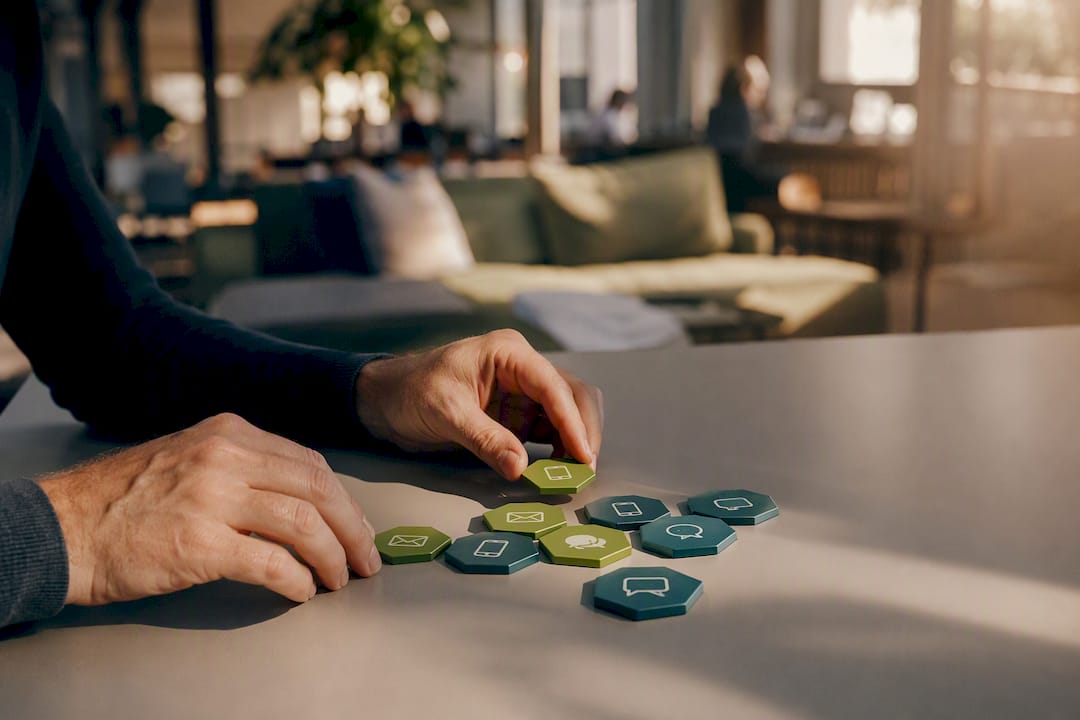
Here’s an annotated skeleton for a mid-market B2B sequence, built around the principle that every touch needs a distinct job. If a touch doesn’t add new value or move toward a clear next action, cut it.
Day 1, Touch 1 (Email): Observation plus question. Reference a specific, recent signal and ask one sharp question. No pitch.
Day 3, Touch 2 (LinkedIn connection request): No pitch, just a personalized note referencing the same signal from touch one.
Day 5, Touch 3 (Email): Proof point. A relevant result, case reference, or data point tied to their likely challenge.
Day 8, Touch 4 (Phone call + voicemail): First live attempt. The voicemail should reference the earlier emails so it doesn’t feel like a cold call.
Day 10, Touch 5 (LinkedIn message): A short, direct nudge. Ask if the earlier note landed.
Day 12, Touch 6 (Email): New value add. A resource, a relevant insight, or an invite to a specific event or benchmark.
Day 14, Touch 7 (Email, breakup): Door-open close. Signal you’re stepping back but leave it easy to reengage.
This mirrors the structure behind widely used 7-touch frameworks that run over 10 to 14 business days, where the majority of replies come from touches four through seven, not the opener. That’s the value-per-touch rule in practice: touch one earns attention, touch three earns credibility, touch six earns urgency, and touch seven earns a decision one way or the other.
Two variations matter:
- Compact sequence (4 to 5 touches, 7 days): Use for warm referrals or inbound-adjacent leads where trust already exists. Skip the observation opener and go straight to proof plus a direct ask.
- Extended sequence (9 to 11 touches, 18 to 21 days): Use for enterprise accounts with multiple stakeholders. Add parallel touches to a second buying-committee member around touch four, and stretch spacing to avoid fatigue across a longer sales cycle.
Channel order isn’t arbitrary either. LinkedIn works best early, when a connection request or comment can warm someone up before an email lands in a crowded inbox. Phone and voicemail earn their keep in the middle of a sequence, once a prospect has seen your name two or three times and a call doesn’t feel completely cold. Save direct, no-frills email asks for the back half, when persistence itself becomes part of the message. For more adaptable templates, our multi-touch campaign examples cover five variations across different buyer types.
What Personalization Actually Scales?
Personalization at scale isn’t about writing 500 unique emails. It’s about identifying a small number of high-leverage data points and building a repeatable structure around them, since effective personalized outreach relies on referencing something genuine and recent rather than padding an email with generic flattery.

The observation-plus-question opener is the highest-leverage pattern for touch one. Structure: state something true and specific about the prospect’s world, then ask a question tied to it. “Saw your team just posted three open AE roles” lands differently than “I hope this finds you well.” The question matters as much as the observation. It signals you want a conversation, not just a click.
The double-touch pattern (a LinkedIn interaction followed by an email referencing it) works because it creates a second point of visibility before the ask, and it’s worth deploying whenever a prospect is active on LinkedIn but hasn’t opened your first email. Watch for that signal specifically: a LinkedIn profile view or post engagement within 48 hours of touch one is your cue to layer in a social touch before email two.
For scaling, decide what belongs in dynamic fields versus what needs a human eye:
- Store in CRM (safe to automate): company name, recent funding round, headcount, tech stack, job title changes.
- Humanize manually: the specific phrasing of the observation, tone adjustments for seniority, and any reference to a mutual connection.
- Route to human review: any reply that mentions budget, timeline, or a named competitor by name. These need a person, not a template, responding within hours.
Pro Tip: Keep your personalization data points to three or fewer per touch. Sequences that try to reference five different facts about a prospect read as researched but robotic. One sharp detail beats three generic ones.
Our prospecting personalization checklist breaks this down field by field if you’re setting up CRM fields for the first time.
How Do You Measure and Improve a Sequence Over Time?
Reply rate tells you almost nothing on its own. A sequence that generates a 15% reply rate but a 2% meeting-booked rate has a qualification or CTA problem, not an outreach problem, since what actually matters is tracking reply-to-meeting conversion rather than raw replies. Track these five metrics at minimum:
- Reply rate (by touch, not just sequence-wide)
- Meeting rate (replies that convert to a booked call)
- Touch contribution (which specific touch generated the reply)
- Asset engagement (opens and clicks on any linked resource)
- Deliverability health (bounce rate, spam complaints, inbox placement)
Sequences that persist past the first two touches consistently outperform those that don’t. Data across cold outreach campaigns shows a large share of replies happen on follow-up touches, not the initial message — which means the most common optimization mistake is stopping a sequence at touch two or three because it “isn’t working.”
When testing, isolate one variable at a time: subject line, opening sentence, CTA phrasing, or spacing between touches using the SEO workflow for professionals: step-by-step guide to structure your approach. Run each test against at least 100 to 150 contacts per variant before drawing conclusions. Two weeks is a reasonable minimum test window given typical B2B response lag.
CTA progression should evolve across the sequence. Touch one might ask a soft question. Touch four might ask for 15 minutes. Touch seven might just ask “should I close this out?” Repeating the exact same CTA at every touch is the second most common error, right behind quitting too early. For a deeper breakdown of test design, see our cold outreach optimization guide.
How Do You Protect Deliverability While Scaling Sequences?
None of the above matters if your emails land in spam. Deliverability is infrastructure work, and it has to happen before volume scales, not after complaints start rolling in.
- Warm up every sending domain for at least two to three weeks before full-volume sending, and never send cold outreach from your primary company domain.
- Use dedicated sending accounts separate from internal email, since warm-up, dedicated accounts, and reputation monitoring are the baseline operational controls for scaling outbound without tanking sender reputation.
- Throttle send volume per domain and per mailbox rather than blasting everything at once.
- Monitor bounce and complaint rates weekly, not monthly, since reputation damage compounds fast once it starts.
Content patterns matter too. Excessive links, spammy subject-line phrasing (“Re:” on a first-touch email, all-caps urgency), and identical templates sent at identical intervals all raise spam flags. Vary send times and phrasing across contacts. Any commercial email sequence also needs to follow CAN-SPAM basics: a working unsubscribe option and accurate sender identification, no exceptions.
Pause a sequence immediately on any of these signals: spam complaints, a spike in soft bounces, or an unusual volume of auto-replies. Recovery means slowing volume, auditing content for spam triggers, and in some cases re-warming the domain from a lower baseline. Our guide to email’s role in B2B services covers domain reputation recovery in more depth.
Pro Tip: *Set an automatic pause rule tied to bounce rate.
Where Does AI Fit Into a Modern Outbound Workflow?
AI earns its place in three specific spots: finding the right prospects, mapping who within an account actually matters, and surfacing the signals that justify a specific message. What it should never do is replace the judgment call on when a reply needs a human.
AI-assisted sequencing works best when it prioritizes prospects and recommends next-best actions while leaving defined checkpoints where a person reviews the output before it goes out. Automation can also orchestrate the multi-channel choreography, sending the LinkedIn touch on day 3, pausing the sequence the moment a prospect opens three emails in a row, and rerouting to a faster cadence when engagement spikes.
The gap between AI-assisted outreach and generic automation comes down to one thing: whether the system pauses on real signals or just keeps firing on schedule regardless of what the prospect does.
Lickfold Digital’s platform is built around that distinction. Its AI agents handle market research, decision-maker mapping, and multi-touch execution, but every reply gets qualified by a person before it reaches a sales team, and dedicated warm-up infrastructure protects deliverability as volume scales.
The caveats matter as much as the capabilities:
- Never let AI generate a personalization detail it can’t verify. A wrong fact in touch one kills credibility for the rest of the sequence.
- Keep a human checkpoint on any reply mentioning pricing, competitors, or timeline.
- Audit AI-generated copy periodically for the “uncanny” tells: overly formal phrasing, generic superlatives, or repeated sentence structures across prospects.
Our AI prospecting step-by-step guide covers the specific checkpoints worth building into any automated workflow.
What I’ve Learned Watching Sequences Succeed and Fail
Most failed sequences aren’t undersized, they’re unfocused. Teams add touches without giving each one a distinct job, then wonder why reply rates flatten by touch three. The fix is almost always structural: fewer touches with sharper purpose beat more touches with repeated messaging.
— Duarte
Ready to Put This Into Practice?
Building this system by hand, one prospect at a time, is where most teams stall out. Lickfold Digital gives you the outcome this whole guide is built around, without the months of manual list-building and infrastructure setup: dedicated AI agents research your ICP, map decision-makers inside target accounts, and run the multi-touch sequences described above across email, phone-ready data, and LinkedIn, all while dedicated warm-up accounts and reputation monitoring protect your deliverability from day one.
Every reply gets qualified by a person before it lands in your pipeline, so your team only spends time on conversations worth having. If you’d rather have a system running signal-triggered, adaptive sequences than build one from scratch, see how Lickfold Digital’s platform works and get a sense of what a fully automated outbound engine looks like for your specific ICP.
Sources
- 3 Sales Sequence Examples To Improve Outreach Results
- 8 Proven Personalized Email Outreach Techniques - BuzzStream
- Sales Sequence Example: 7-Touch Framework That Books Meetings