
How to Manage Email Reputation for Better Deliverability
How to Manage Email Reputation for Better Deliverability
TL;DR:
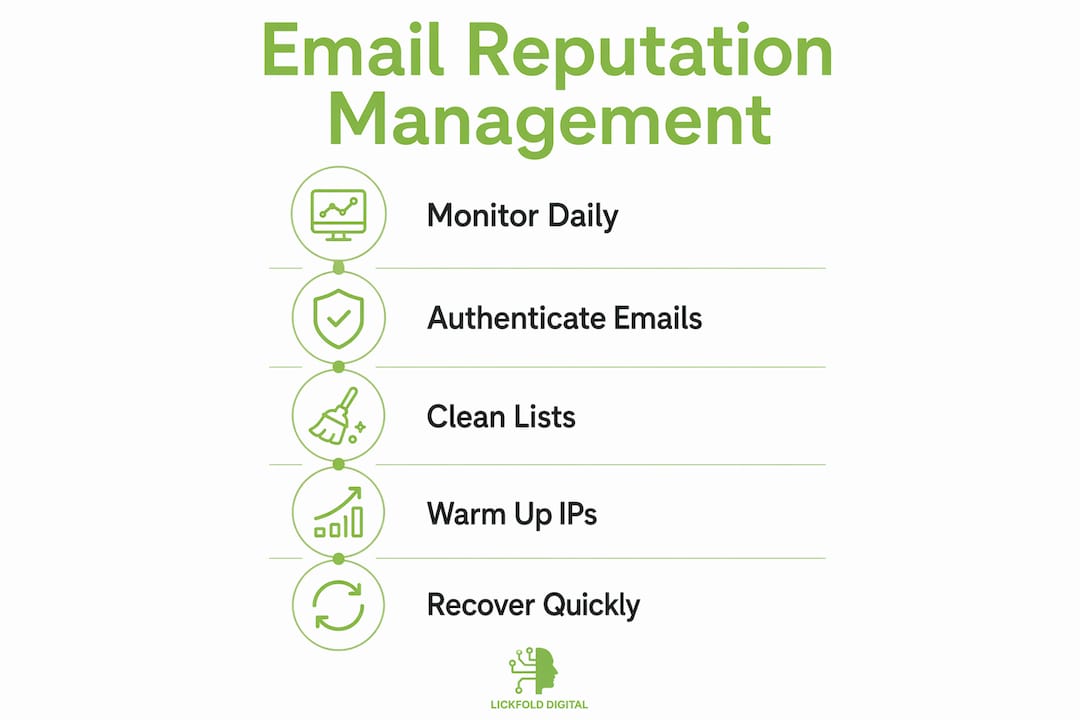
- Email reputation management involves monitoring and optimizing your sending practices to ensure emails reach inboxes rather than spam folders. It relies on maintaining authentication, list hygiene, and continuous monitoring to prevent reputation drops and recover quickly if issues arise. Treating reputation as an ongoing program, not a one-time project, is essential for long-term email deliverability success.
Email reputation management is the practice of monitoring and optimizing your sending infrastructure so your messages reach inboxes instead of spam folders. Mailbox providers like Gmail, Microsoft, and Yahoo assign a sender reputation score to every domain and IP address based on signals including bounce rates, spam complaints, authentication status, and permission behavior. That score determines whether your emails get delivered, filtered, or blocked. For digital marketers and business owners running outbound campaigns, understanding how to manage email reputation is not optional. It is the foundation of every email program that actually works.
What key metrics and tools should you monitor?

Sender reputation is calculated continuously, and mailbox providers track long-term signals including bounces, spam-trap hits, authentication history, and permission behavior. There is no reset button. Every send either builds or erodes your standing.
The metrics that matter most are:
- Spam complaint rate. Gmail recommends keeping this below 0.1%. Anything above 0.3% triggers filtering at scale.
- Hard bounce rate. Hard bounces signal that you are sending to invalid addresses. Keep this under 2%.
- Open and click rates. Low engagement tells providers that recipients do not want your mail, which suppresses future delivery.
- Spam-trap hits. These are addresses maintained by blocklist operators to catch senders with poor list hygiene.
For tooling, Gmail Postmaster Tools provides domain and IP reputation dashboards with daily data. Microsoft SNDS (Smart Network Data Services) and Yahoo Sender Hub offer equivalent visibility for their respective platforms. Sender Score, published by Validity, gives a 0 to 100 score based on your IP’s sending behavior over the past 30 days. DMARC aggregate reports, delivered to the address in your DNS record, show which sources are sending on your behalf and whether they pass authentication.
The recommended monitoring cadence is daily checks during active campaigns, weekly checks during maintenance periods, and a full monthly audit covering authentication, list health, and blocklist status.
Pro Tip: Combine postmaster tool dashboards with message header inspection and authentication audits. Dashboards show symptoms. Headers and authentication logs reveal the cause.
How to implement email authentication protocols correctly
Authentication is the single most controllable factor in sender reputation. SPF, DKIM, and DMARC work together to prove that your emails originate from authorized sources and have not been tampered with in transit.
Follow this sequence to audit and enforce authentication:
- Audit all sending sources. List every system that sends email on your domain: your ESP, CRM, transactional mail provider, and any third-party tools. Each one needs its own SPF include and DKIM key.
- Publish and validate your SPF record. Your SPF record must include all authorized sending IPs. Use a tool like MXToolbox to confirm the record resolves correctly and does not exceed the 10 DNS lookup limit.
- Generate and verify DKIM keys. Each sending source should sign outgoing mail with a DKIM key that matches a public key in your DNS. Verify alignment between the DKIM signing domain and your From address domain.
- Deploy DMARC at monitoring level first. Start with "p=none` to collect aggregate reports without affecting delivery. Analyze those reports for two to four weeks to identify unauthorized senders or misaligned sources.
- Advance to enforcement. Once authentication stabilizes, move DMARC policy from
p=nonetop=quarantine, then top=reject. This prevents spoofing and signals trustworthiness to mailbox providers.
A common pitfall is partial DKIM alignment, where a third-party tool signs with its own domain rather than yours. That pass does not satisfy DMARC alignment. Require your vendors to support custom DKIM signing on your domain.
Pro Tip: Transactional and operational emails, such as receipts and legal notices, should be sent from dedicated subdomains with their own authentication records. Mixing them with marketing traffic creates reputation risk if your marketing list generates complaints.
What are best practices for list hygiene and engagement?
A clean, engaged list is the most direct path to a strong sender reputation. Providers reward senders whose recipients consistently open, click, and reply. They penalize senders whose mail goes ignored or gets marked as spam.
The core list hygiene practices every sender should follow:
- Remove hard bounces immediately. A hard bounce means the address does not exist. Continuing to send to it signals poor list quality to every major provider.
- Suppress soft bounces after repeated failures. Three to five consecutive soft bounces on the same address typically indicate a full or inactive mailbox. Suppress those addresses before they become hard bounces.
- Suppress inactive subscribers after 60 to 90 days. Recipients who have not opened or clicked in that window are dragging down your engagement rates. Run a re-engagement campaign first, then remove non-responders.
- Avoid purchased or rented lists. These lists contain spam traps, invalid addresses, and recipients who never consented to hear from you. A single purchased list can damage a domain’s reputation for months.
- Implement one-click unsubscribe headers. Gmail and Yahoo enforce List-Unsubscribe and List-Unsubscribe-Post compliance for bulk senders since 2024. Making it easy to unsubscribe reduces spam complaints, which directly protects your reputation.
Segmentation amplifies all of this. Sending the right content to the right recipients increases open and click rates, which are positive engagement signals. A targeted outreach approach that matches message content to recipient behavior consistently outperforms batch-and-blast sending on every deliverability metric.
Pro Tip: Use personalized email content rather than generic templates. Personalization drives higher engagement rates, and higher engagement rates are one of the strongest positive signals you can send to mailbox providers.
How to warm up new IP addresses and sending infrastructure
Launching a new sending IP or domain at full volume is one of the fastest ways to destroy a reputation before it forms. Mailbox providers treat new IPs with no history as high risk. Without a track record of positive engagement, your mail goes to spam or gets blocked outright.
The correct approach is a phased warm-up:
| Week | Daily Send Volume | Audience |
|---|---|---|
| Week 1 | 50 to 100 emails | Highest-engagement recipients only |
| Week 2 | 200 to 400 emails | Engaged subscribers, recent openers |
| Week 3 | 800 to 1,500 emails | Broader engaged segment |
| Week 4 to 6 | Scale to full volume | Full list, monitor daily |
Start with your most engaged recipients because their positive signals, opens, clicks, and replies, establish a baseline reputation quickly. Double your volume roughly every three days while watching bounce rates and spam complaint rates in Gmail Postmaster Tools and Microsoft SNDS. If either metric spikes, pause and investigate before continuing.
Avoid volume spikes at any stage. A sudden jump from 500 to 10,000 emails per day triggers spam filters even on established IPs. Gradual, consistent growth is the signal providers want to see. Using dedicated email accounts for warm-up, separate from your main sending domain, protects your primary domain’s reputation during the ramp-up period.
How to detect and recover from reputation drops
Reputation drops rarely announce themselves clearly. The first sign is usually a decline in open rates or a sudden increase in messages landing in spam. By the time you notice, the damage has already accumulated.
When you detect a reputation problem, follow this recovery sequence:
- Stop all non-essential sending immediately. Continuing to send while your reputation is declining accelerates the damage. Pause promotional campaigns and keep only transactional mail running.
- Review recent changes. Diagnosis should start with recent sending changes: new lists, new sending sources, DNS modifications, or routing changes. These are the most common triggers.
- Check blocklists. Use MXToolbox or MultiRBL to check whether your IP or domain appears on major blocklists including Spamhaus ZEN, Barracuda, or Proofpoint. If listed, follow each provider’s delisting process.
- Inspect message headers. Pull headers from messages that landed in spam and check SPF, DKIM, and DMARC pass or fail status. A failed authentication check is often the root cause.
- Clean your list aggressively. Remove all unengaged recipients and any addresses that have generated complaints. Reduce your active list to your most engaged segment before resuming full sending.
Recovery from a serious reputation drop requires weeks or months, not days. Severity determines the timeline: a minor complaint spike may resolve in two to three weeks with corrective action, while a Spamhaus listing tied to spam-trap hits can take months of clean sending to overcome.
The most important insight here is that reputation has long memory. Prevention through ongoing compliance is always faster and cheaper than recovery. Build monitoring into your weekly workflow, not just your incident response plan.
Key takeaways
Effective email reputation management requires authentication, list hygiene, and consistent monitoring working together as a continuous program, not a one-time setup.
| Point | Details |
|---|---|
| Monitor daily during campaigns | Check Gmail Postmaster Tools and Microsoft SNDS every day when sending actively. |
| Enforce DMARC progressively | Move from p=none to p=reject only after authentication sources are fully identified and aligned. |
| Clean lists before sending | Remove hard bounces immediately and suppress inactive subscribers after 60 to 90 days. |
| Warm up new IPs gradually | Start at 50 to 100 emails per day and double volume every three days over four to six weeks. |
| Treat recovery as a long process | Reputation drops take weeks or months to reverse; prevention through compliance is always faster. |
Why reputation management is a program, not a project
I have seen businesses treat email reputation as a one-time technical setup. They configure SPF, DKIM, and DMARC, declare victory, and move on. Six months later, they are wondering why their open rates have collapsed and their campaigns are landing in spam. The authentication was fine. The list had just quietly degraded.
The uncomfortable truth is that reputation is never static. Every send either adds to your credibility or subtracts from it. Mailbox providers recalculate your score continuously, and the signals they weight most, engagement rates, complaint rates, and spam-trap hits, change with every campaign you run. A list that was clean in January can be a liability by June if you have not been actively suppressing inactive addresses.
What I have found actually works is treating reputation management the way you treat financial reporting: as a regular, scheduled discipline with clear metrics and defined thresholds for action. Set a weekly calendar reminder to check your Postmaster Tools dashboards. Define what a “bad” spam complaint rate looks like for your program and what action you take when you hit it. Build list suppression into your campaign workflow, not as an afterthought but as a prerequisite for sending. The teams that do this consistently never face the months-long recovery process. They catch problems when they are still small.
The other thing worth saying directly: quick fixes do not work. Switching to a new IP to escape a bad reputation, buying a “clean” list, or changing your From domain without fixing the underlying issues will not solve anything. Providers track behavior patterns, not just identities. The best practices for B2B email delivery that hold up over time are the boring ones: authenticate properly, send to people who want your mail, and monitor your metrics consistently.
— Duarte
How Lickfold can help you protect your sender reputation

Lickfold Digital builds and manages outbound email infrastructure for B2B companies that cannot afford deliverability failures. The platform handles dedicated account setup, authentication configuration, and ongoing warm-up so your campaigns reach decision-makers instead of spam folders. Every outreach program includes reputation monitoring as a built-in function, not an add-on. If your current email program is underperforming or you are starting from scratch and want to get infrastructure right the first time, reach out to Lickfold for a personalized assessment of your sending setup and deliverability gaps.
FAQ
What is email sender reputation?
Email sender reputation is a score assigned by mailbox providers to your sending domain and IP address based on signals including bounce rates, spam complaints, authentication status, and engagement history. It determines whether your emails are delivered to the inbox, filtered to spam, or blocked entirely.
Why is email reputation management important?
A poor sender reputation means your emails never reach recipients regardless of how good your content is. Providers like Gmail and Yahoo use reputation scores to filter billions of messages daily, so senders with low scores face systematic inbox exclusion that directly reduces campaign performance and revenue.
How long does it take to recover from a bad email reputation?
Recovery from a reputation drop takes weeks to months depending on severity. Minor complaint spikes may resolve in two to three weeks with corrective action, while serious blocklist listings tied to spam-trap activity can require months of clean sending before providers restore normal delivery rates.
What authentication records do I need for good deliverability?
You need SPF, DKIM, and DMARC records published in your DNS. SPF authorizes sending IPs, DKIM signs messages cryptographically, and DMARC ties them together with a policy that tells providers what to do with mail that fails authentication. All three must be correctly aligned to satisfy modern mailbox provider requirements.
How often should I monitor my email reputation?
Check Gmail Postmaster Tools and Microsoft SNDS daily during active campaigns and weekly during maintenance periods. Run a full audit monthly covering authentication records, blocklist status, and list health to catch issues before they affect deliverability at scale.