
10 CAN-SPAM Compliance Checks Mapped to the Law for U.S. Marketers
10 CAN-SPAM Compliance Checks Mapped to the Law for U.S. Marketers
Most commercial email, including business-to-business messages, falls under the CAN-SPAM Act, and there’s no exemption for B2B senders. Fix three things today: your header information (From, Reply-To, routing) must be accurate, your unsubscribe link has to actually work, and every commercial message needs a valid postal address. Get those wrong and you’re exposed to federal penalties that scale per message, not per campaign. Everything below turns that verdict into a system you can run every month.
TL;DR:
- Accurate header information and truthful subject lines are mandatory, with explicit identification of ads in the footer to comply with regulations.
- The postal address must be a valid street, P.O. box, or registered mail receiving address, updated dynamically to avoid violations.
- An unsubscribe link and mechanism must function for at least 30 days post-send, with requests processed within 10 business days, without requiring extra data or fees.
- Authenticating emails using SPF, DKIM, and DMARC is crucial, as misconfigurations and high complaint rates flag emails as spam and increase compliance risks.
- Mixing promotional and transactional content can lead to full CAN-SPAM compliance requirements; if promotional content dominates, stricter rules apply.
Table of Contents
- What Does CAN-SPAM Compliance Actually Require?
- The Legal Text Behind Headers, Subject Lines, and Disclosure
- Is Your Email Commercial or Transactional?
- How Should Your Unsubscribe Process Actually Work?
- What Happens If You Get Caught Violating CAN-SPAM?
- Which Technical Signals Affect Both Deliverability and Compliance Risk?
- What Should Be in Your Contract With an Email Vendor?
- How Do You Build a Repeatable CAN-SPAM Audit Process?
- What We’ve Learned Running High-Volume B2B Outreach
- Where AI-Powered Outbound Fits Into a Compliant Email Program
- Where to Verify These Rules Yourself
- Sources
- FAQ
What Does CAN-SPAM Compliance Actually Require?
Run through this list before your next send. Each item maps to a specific statutory or regulatory requirement, so you’re not just guessing at best practice.
- Accurate headers: your From, To, and routing information must identify the actual sending domain, not a spoofed or misleading one.
- Honest subject lines: the subject can’t misrepresent what’s inside the message.
- Ad disclosure: if the email is an advertisement, it has to be identifiable as one, even if that’s just a line in the footer.
- Working unsubscribe mechanism: a functioning link or reply address that actually processes opt-outs.
- List-Unsubscribe header: increasingly expected by Gmail, Yahoo, and other major mailbox providers alongside the visible link.
- Valid postal address: a street address, a registered P.O. box, or a commercial mail receiving agency address.
- 30-day opt-out availability: your opt-out mechanism must stay functional for at least 30 days after you send the message.
- 10-business-day honor window: you must process every opt-out request within 10 business days of receipt.
- No cost, no extra data: you can’t charge a fee or require additional personal information just to unsubscribe.
- No reselling opted-out addresses: once someone opts out, that address can’t be sold or transferred, except to a vendor helping you stay compliant.
Two operational habits round out the list: keep a running eye on complaint and bounce rates by list source, and separate transactional sends from marketing sends at the infrastructure level so a promotional blast can’t drag down delivery of receipts or account notices. If you use outside vendors for any part of your sending, your contracts need compliance language baked in, not assumed.
The Legal Text Behind Headers, Subject Lines, and Disclosure
The CAN-SPAM Act prohibits false or misleading header information under its core statutory language, and that prohibition is broader than most marketers assume. It’s not just about spoofing a domain you don’t own. Using a From name that implies a personal relationship that doesn’t exist, or routing replies through an address that goes nowhere, both count as violations. The public law text that created the Act frames this as a matter of national policy: recipients deserve to know who’s actually emailing them.
Subject lines get their own standard. A line that promises “Your Account Statement” when the body is a sales pitch for a premium tier crosses the line into deceptive. A safer version says exactly what the message contains: “New Pricing for Your Account” or “Special Offer Inside.” The test isn’t whether the subject is catchy. It’s whether a reasonable recipient would feel misled after opening the message.
Ad identification doesn’t require a giant banner. A short line in the footer, something like “This is a promotional message from [Company Name],” satisfies the requirement in most cases. What matters is that it’s clear and not buried in six-point gray text designers sometimes use to technically comply while practically hiding the disclosure.
The postal address requirement trips up more companies than any other line item, mostly because remote and hybrid teams don’t have a fixed office to list. Three formats work: a real street address, a USPS-registered P.O. box, or a commercial mail receiving agency (CMRA) address. A virtual office address usually qualifies as long as it’s properly registered. What doesn’t work is a made-up address or one that’s no longer active. Your email service provider’s footer template should pull this address dynamically from a single source of truth, not from whatever an individual marketer typed into a campaign builder six months ago.
16 CFR Part 316 also carries a special rule that catches companies off guard: sexually explicit commercial email must include “SEXUALLY-EXPLICIT:” at the start of the subject line, and the initial content a recipient sees before opening has to avoid explicit material, a rule regulators call the “brown paper wrapper” standard. Prior affirmative consent from the recipient is an exception to this labeling rule. Most B2B senders never encounter this, but any company operating in adjacent industries needs to know the rule exists before a template goes out unreviewed.
For ESP and templating teams, the practical fix is centralizing all four required elements, header identity, subject line review, ad disclosure text, and the postal address, into a single template layer that campaign builders can’t override. That one change eliminates most accidental violations before they happen.
Is Your Email Commercial or Transactional?
The primary-purpose test under 16 CFR Part 316 §316.3 decides which rules apply, and getting this wrong either over-burdens you with unnecessary opt-out mechanics or exposes you to penalties you thought didn’t apply. A message is commercial when its primary purpose is advertising or promoting a product or service. A message is transactional when it facilitates a transaction the recipient already agreed to, a shipping confirmation, a password reset, a billing notice.
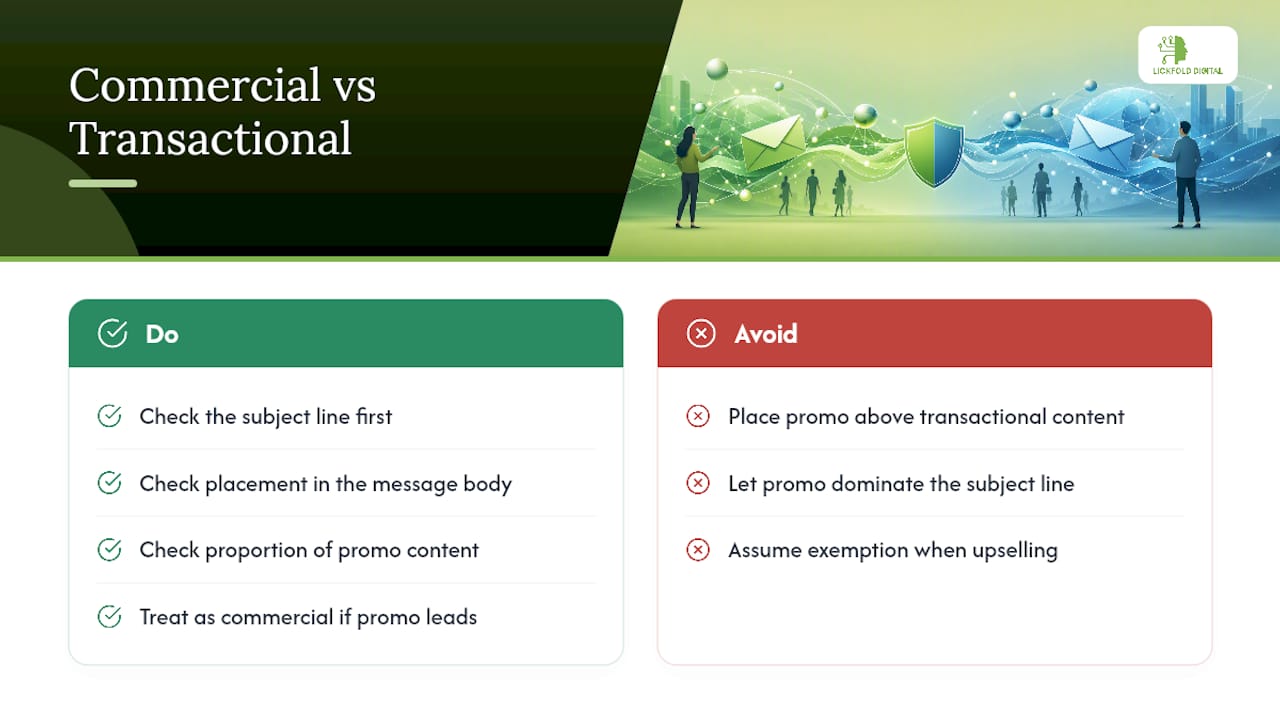
The trouble starts when companies blend the two. If the promotional content dominates the subject line or appears above the transactional content, regulators and courts tend to treat the whole message as commercial, which pulls in the full CAN-SPAM checklist: opt-out mechanism, postal address, the works.
Membership and subscription emails get partial exemptions when they’re primarily about account status, terms changes, or service updates rather than upselling. But even a well-intentioned “reminder about your renewal” email that spends three paragraphs pitching an upgrade tier probably tips into commercial territory.
A workable rule of thumb: check placement, check the subject line, and check proportion. If promotional content leads the subject line, appears first in the body, or makes up the bulk of the message, treat it as commercial and apply every requirement. When in doubt, apply the stricter standard. It costs you nothing extra to include a postal address on a borderline message, but it costs plenty to guess wrong the other direction.
How Should Your Unsubscribe Process Actually Work?
Two mechanics satisfy the law: a working reply-to address or a single web page that processes the opt-out without friction. Neither can charge a fee, and neither can demand more information than an email address, maybe a reason code if you want feedback, but that has to stay optional.
Timing matters as much as mechanics. Your opt-out interface has to remain functional for at least 30 days after you send the message, and once someone submits a request, you have 10 business days to honor it. That’s not 10 business days to start processing, it’s 10 business days to actually stop sending.
- Use a List-Unsubscribe header (defined under RFC 8058) alongside your visible link. Gmail and Yahoo both favor senders who implement it, and it powers the one-click “Unsubscribe” button that appears next to the sender name.
- Never bury the unsubscribe link in tiny text or a color that blends into the background.
- Never require a login or account access to process an opt-out.
- Never build a multi-step “are you sure?” flow designed to make people give up.
Pro Tip: If your opt-out flow takes more than two clicks or asks for a password, you’ve built a legal risk into your own tooling. Test it yourself every quarter, from a fresh browser session, the way an annoyed recipient would.
What Happens If You Get Caught Violating CAN-SPAM?
The FTC handles civil enforcement, and penalties are calculated per violation, meaning a single bad campaign sent to a large list can generate a fine that dwarfs the marketing budget that produced it. The Public Law 108-187 text that established the Act also opened the door to enforcement by state attorneys general and, for specific violations involving telecommunications carriers, the FCC.
Criminal exposure through the Department of Justice kicks in for aggravated conduct: harvesting email addresses from websites using automated tools, using dictionary attacks to guess valid addresses, hijacking someone else’s computer to send spam, or relaying mail through someone else’s server without authorization. Those aren’t marketing mistakes. They’re the kind of conduct that turns a compliance failure into a federal case.
Liability doesn’t stop at whoever hits send. Both the company that hired an email vendor and the vendor doing the actual sending can be held responsible, a point worth sitting with if you’ve ever assumed outsourcing email removes your exposure. If you discover a possible violation inside your own operation, document what happened, halt the offending campaign, and fix the root cause before the next send goes out. Waiting for a complaint to force the issue is the version of this story that ends up in an FTC case file.
Which Technical Signals Affect Both Deliverability and Compliance Risk?
Authentication now does more work than your subject line copy ever will. Filters at Gmail, Outlook, and every major provider check SPF, DKIM, and DMARC alignment before they evaluate anything about your message content, and a misconfigured record is the most common reason legitimate mail lands in spam.
Here’s the piece most marketing teams underestimate: complaint rates and spam-trap hits don’t just hurt deliverability, they generate the data trail that regulators and mailbox providers both use to flag a sender as a risk. A high complaint rate on a campaign that also has sloppy headers or a broken opt-out link is exactly the pattern that draws scrutiny.
- SPF confirms your sending server is authorized to send on behalf of your domain.
- DKIM cryptographically signs your message so receivers know it wasn’t altered in transit.
- DMARC ties SPF and DKIM together and tells receivers what to do when a message fails, and alignment between these three is what mailbox providers weigh most heavily.
- List-Unsubscribe headers and one-click unsubscribe support reduce the odds a frustrated recipient hits “report spam” instead of quietly opting out.
Complaint rates and authentication failures are two of the biggest triggers for inbox filtering in 2026, according to a breakdown of what modern spam filters check first. Monitor Google Postmaster Tools weekly, review your DMARC aggregate reports, and set an internal threshold, many senders target keeping complaint rates below 0.1%, that triggers an immediate list review if you cross it. A step-by-step guide to improving B2B email delivery walks through building that monitoring habit into a weekly routine rather than a quarterly scramble.
What Should Be in Your Contract With an Email Vendor?
You can’t contract your way out of legal responsibility. If a vendor sends noncompliant email on your behalf, both of you can face liability, a principle the FTC has enforced consistently.
- Require written compliance representations in the contract, specifically that the vendor follows CAN-SPAM’s header, opt-out, and disclosure rules.
- Build in audit access, the right to review raw headers, opt-out logs, and complaint data on demand.
- Require suppression list sharing both directions, so an opt-out on your platform propagates to theirs within the required window.
- Add indemnity language for violations caused by the vendor’s own template or sending practices.
- Watch for red flags: sudden volume spikes, rising complaint numbers, or a vendor that resists sharing raw data.
Pro Tip: Run a suppression propagation test quarterly. Opt out a test address on your platform, then check whether it stops receiving mail from every downstream vendor within 10 business days. If it doesn’t, you’ve found a liability gap before a regulator does.
How Do You Build a Repeatable CAN-SPAM Audit Process?
Treat compliance like uptime monitoring, not a once-a-year legal review. A short monthly check catches problems while they’re still cheap to fix. Test your opt-out link from a fresh session, confirm SPF and DKIM records still resolve correctly, and pull your complaint rate by list segment to spot any source that’s drifting upward.
Quarterly work goes deeper. Audit every vendor relationship against the contract checklist above, review where new list additions actually came from (a B2B contact list building process with weak sourcing controls is how purchased or scraped addresses sneak into a “clean” list), and confirm your sunset policy, the point at which unengaged contacts get suppressed rather than mailed indefinitely, is actually being enforced by your platform, not just written in a policy doc nobody follows.
Retention matters more than most teams realize. Keep opt-out request logs, template versions, and vendor compliance attestations for at least a few years. If the FTC ever opens an inquiry, a documented history of monthly checks and quarterly audits is the difference between “we take this seriously” and a company scrambling to reconstruct what happened after the fact.
| Cadence | What to check | Why it matters |
|---|---|---|
| Monthly | Opt-out link function, SPF/DKIM validity, complaint rate by segment | Catches breakage before it becomes a pattern |
| Quarterly | Vendor contract compliance, list-source audit, sunset policy enforcement | Surfaces systemic risk before volume scales it up |
| Ongoing | Retain logs, template versions, vendor attestations | Builds the paper trail that demonstrates good-faith compliance |
What We’ve Learned Running High-Volume B2B Outreach
The violations we see most often aren’t malicious, they’re inherited. A company acquires a list from a conference sponsorship, mails it without checking sourcing, and wonders why complaint rates spike within a week. List hygiene isn’t a compliance nicety. It’s the difference between a sending domain that stays healthy and one that needs months of repair.
Phased DMARC rollout matters more than teams expect. Start at p=none, watch the reports for a few weeks, then tighten. Skipping straight to enforcement blocks legitimate mail you didn’t know existed. And keeping transactional traffic on separate infrastructure from marketing sends isn’t overengineering, it’s the only reliable way to stop one bad campaign from tanking your receipt emails. Automation tools can help you monitor all of this at scale, but they don’t replace someone who actually reads the complaint reports.
— Duarte
Where AI-Powered Outbound Fits Into a Compliant Email Program
Running CAN-SPAM compliance well takes ongoing attention: authentication that doesn’t drift, suppression lists that actually propagate, and reply handling that separates real interest from noise. Lickfold Digital builds that operational discipline into its B2B outbound platform from the start, dedicated warm-up accounts instead of shared sending infrastructure, ongoing reputation monitoring so complaint rates get caught before they become a pattern, and human qualification of every reply before it reaches your sales team.

An initial audit from Lickfold Digital looks at your current sending setup, authentication records, list sourcing, and opt-out handling, and flags the gaps most likely to draw complaints or regulatory attention before they cost you deliverability. For teams that would rather not build and monitor that infrastructure in-house, Lickfold Digital runs it as a managed system, with suppression handling and reputation management built into the outreach pipeline rather than bolted on afterward. Get in touch through the site to scope a compliance audit and see what a properly separated, authenticated outbound program looks like for your list.
Where to Verify These Rules Yourself
- FTC’s CAN-SPAM Compliance Guide for Business, the clearest plain-language summary from the enforcing agency.
- Public Law 108-187, the original statutory text.
- 16 CFR Part 316, the regulatory detail behind the primary-purpose test and opt-out mechanics.
- A proven email list growth guide for building opt-in lists the compliant way from day one.
Sources
- CAN-SPAM Act: A Compliance Guide for Business | Federal Trade Commission
- Controlling the Assault of Non-Solicited Pornography and Marketing Act of 2003 — Public Law 108–187
- PART 316—CAN-SPAM Rule — eCFR
- Email spam filters explained: What triggers them in 2026 | Vortenza
FAQ
What Does It Mean to Be CAN-SPAM Compliant?
It means every commercial email you send has accurate headers, a non-deceptive subject line, clear identification as an advertisement when applicable, a valid postal address, and a working opt-out mechanism that you honor within 10 business days.
What Are the CAN-SPAM Opt-Out Requirements?
Your opt-out mechanism must stay functional for at least 30 days after sending, can’t charge a fee or demand extra personal data, and every opt-out request has to be processed within 10 business days.
How Do You Comply With the CAN-SPAM Act?
Start with the checklist basics: accurate sender information, a working unsubscribe link, a valid postal address, and honest subject lines, then layer in authentication (SPF, DKIM, DMARC) and vendor contract oversight for ongoing protection. Some platforms build much of this infrastructure and monitoring in from the start for teams running high-volume B2B outreach.
Why Should You Never Delete Spam Complaints Instead of Reviewing Them?
Complaint data tells you which list segments or campaigns are driving risk, and ignoring it means you miss the early signal that a sending domain’s reputation is degrading until deliverability across your entire program suffers.
Does CAN-SPAM Apply to B2B Emails?
Yes. The Act covers any commercial email based on its primary purpose, regardless of whether the recipient is a consumer or a business contact, so B2B marketers get no general exemption.