
Pair Seed Tests With Real Metrics: Inbox Placement Testing for B2B
Pair Seed Tests With Real Metrics: Inbox Placement Testing for B2B
Inbox placement testing sends a campaign to seed addresses across major mailbox providers to reveal whether it lands in the inbox, spam, promotions, or nowhere at all. That’s the primary value: pre-send visibility into folder outcomes that your ESP’s delivery dashboard cannot show. Treat it as a diagnostic, not a guarantee, and pair every result with real-recipient engagement data.
TL;DR:
- Sending identical campaigns to seed addresses requires matching your real sending conditions, including domain, IP, and authentication setup, for accurate results.
- A high inbox placement rate across providers indicates good deliverability, while low rates and high missing results suggest issues with authentication or infrastructure.
- Routine testing should be more frequent during major changes like IP warming, domain migration, or large campaigns, especially for high-volume or revenue-critical streams.
- Seed test results are only directional; they do not predict actual subscriber engagement, so comparing seed outcomes with real open and click data is essential.
- Ensuring proper email authentication, list hygiene, and infrastructure management are critical steps to improve inbox placement beyond basic testing.
Table of Contents
- What Does Inbox Placement Actually Measure?
- How Do You Run an Inbox Placement Test?
- How Do You Read and Interpret Placement Results?
- What Causes Poor Placement, and How Do You Fix It?
- How Often Should You Run Placement Tests?
- What Can’t Seed Testing Tell You?
- Why Warmed Infrastructure Makes Placement Tests Meaningful
- Sources
What Does Inbox Placement Actually Measure?
Delivery and placement are not the same thing, and confusing them is the most common mistake in deliverability work. A message can be fully “delivered” (accepted by the receiving server) and still get filtered into spam, dropped into Promotions, or never surface in any visible folder at all. Your ESP tells you the message left the building. It has no way of seeing which room it ended up in.
Placement outcomes generally fall into four buckets:
- Inbox: the message lands in the primary inbox where it’s most likely to be seen.
- Promotions/tabs: sorted by Gmail’s tabbed inbox or similar categorization systems, not technically “bad” but often lower engagement.
- Spam/junk: filtered out by the provider’s classifier.
- Missing: never arrived at all, often a silent block or rate limit.
The core metric is inbox placement rate, calculated as inboxed emails divided by delivered emails (excluding bounces), multiplied by 100. A campaign that delivers to many addresses but only reaches the inbox for a portion of them has a corresponding inbox placement rate, even if your ESP reports high delivery. Mailbox providers weigh engagement history, spam complaints, and content signals differently, which is why the same email can inbox cleanly at one provider and get filtered at another.
How Do You Run an Inbox Placement Test?
A valid test depends entirely on matching your real sending conditions. Skip a step here and the results tell you nothing useful.
- Get seed addresses. Use a seed-list testing service or tool that maintains live accounts across Gmail, Outlook, Yahoo, and other major providers.
- Add seeds as a distinct segment inside your ESP, separate from your real subscriber list, so you can isolate the results cleanly.
- Send the identical campaign to the seed segment and your live audience at the same time, or as close to it as your workflow allows.
- Match the sending path exactly: same visible From address, same envelope sender, same DKIM signing domain, and same sending IP you use in production. A test sent from a different subdomain or IP measures nothing relevant.
- Record test metadata: message ID, seed group used, and send timestamp. Results typically populate within minutes to a few hours, though some enterprise tools take longer.
- Retest after exactly one documented change. Don’t fix authentication and rewrite subject lines in the same cycle.
Pro Tip: Log every test run in a shared sheet with the message ID, sending path, and result summary. Six months in, that log becomes the fastest way to spot a pattern, like a specific IP range that consistently underperforms at Outlook.
How Do You Read and Interpret Placement Results?
A useful placement report breaks results down by provider, not just an aggregate score. Look for rows like this:
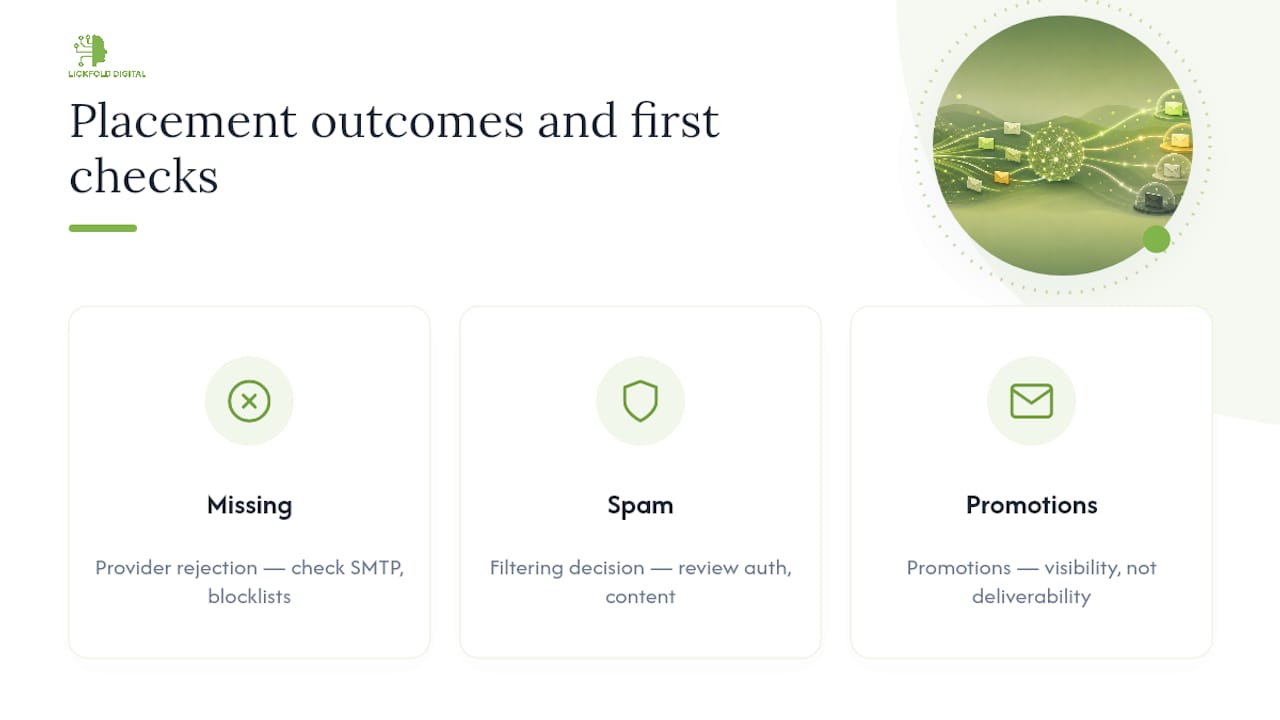
Each column tells a different story. Missing results usually point to a block or gateway rejection at the provider level, which means you should check SMTP responses and blocklist databases first, not your content. Spam results usually mean a filtering decision, which points you toward authentication and content review instead. Promotions placement isn’t a failure at all, just a categorization choice that affects visibility more than deliverability.
Once you have provider-level numbers, calculate an overall inbox placement rate and a per-provider rate. Benchmarks generally treat a high inbox placement rate as healthy, moderate rates as worth investigating, and low rates as needing remediation.
Cross-check any anomaly against SMTP response codes, bounce logs, and blocklist lookups before making changes. A high missing rate at one provider with clean logs elsewhere often traces back to a rate limit rather than a reputation issue.
What Causes Poor Placement, and How Do You Fix It?
Most placement problems trace back to one of four sources, and they’re worth checking in a specific order because fixing the wrong one first wastes a test cycle.
- Authentication failures. Missing or misaligned SPF, DKIM, or DMARC records are the single most common cause of spam or missing placement. Verify alignment between your visible From domain and your DKIM signing domain, not just that records exist.
- List hygiene. Hard bounces that never got suppressed, complainers still receiving mail, and long-dormant contacts all drag down engagement signals that providers use to score your sends, highlighting the importance of proven strategies for list growth. A clean acquisition strategy keeps this problem from compounding.
- Content and personalization signals. Spam trigger phrases and link-heavy templates still matter, but don’t over-optimize copy purely to please seed inboxes; seed accounts can’t reflect real engagement patterns, so chasing a perfect seed score can produce bland, lower-performing copy for real recipients.
- Infrastructure and reputation. A sudden volume spike on a new IP or domain, or skipping warm-up entirely, triggers exactly the kind of filtering that seed tests are designed to catch.
Pro Tip: Change one variable per test cycle. If you fix a DMARC alignment issue and rewrite your subject line in the same send, you won’t know which change moved the needle.
For a structured remediation path, a step-by-step delivery improvement guide walks through prioritizing fixes by severity rather than guessing.
How Often Should You Run Placement Tests?
Cadence should track risk, not calendar convenience.
- Weekly to biweekly for high-stakes or high-volume streams where a placement drop directly costs revenue.
- Monthly for stable, established programs with consistent sending patterns and healthy engagement.
- Event-triggered tests any time you migrate ESPs, warm a new IP or domain, roll out a new template, run an unusually large send, or notice engagement dipping.
- Different rules for different streams: transactional email (receipts, password resets) tolerates less testing frequency risk than cold outbound or bulk marketing sends, which shift faster and need tighter monitoring.
What Can’t Seed Testing Tell You?
Seed accounts have no real engagement history, so results are directional, not predictive of exactly how your actual subscribers will be treated. Use seed data to catch authentication and infrastructure problems, then confirm against real metrics.
- Compare seed results against actual open rates, click rates, and complaint rates from the same campaign.
- Run the sequence: seed test, then SMTP and blocklist checks, then comparison against real-recipient trends, then one change, then retest.
- Never optimize content purely for seed performance; it can quietly hurt engagement with real recipients.
Why Warmed Infrastructure Makes Placement Tests Meaningful
A seed test on a cold, unmanaged domain mostly measures the domain’s youth, not your campaign. At Lickfold Digital, our AI outbound agents run through dedicated warm-up accounts and ongoing reputation management, so placement results actually reflect messaging quality rather than infrastructure noise. Balancing personalized outreach with disciplined sending infrastructure is what makes a seed test worth running in B2B outbound.
— Duarte
Sources
- What is inbox placement? — Twilio blog
- Deliverability myth: why you need to measure inbox placement — Litmus
- Using seed testing to predict inbox placement — Iterable
- What is inbox placement? Definition & benchmarks — InboxStack