
Automated Lead Generation Benefits for Sales Teams
Automated Lead Generation Benefits for Sales Teams
Automated lead generation gives sales and marketing teams faster speed-to-contact, higher lead quality, and a more predictable pipeline, all with less manual work. The core benefits are:
- Efficiency: reps spend time selling, not sorting
- Speed-to-lead: automated systems contact new leads in minutes, not hours
- Higher lead quality: scoring and enrichment filter out poor fits before reps touch them
- Personalization at scale: sequences adapt to behavior and firmographic data without manual effort
- Sales and marketing alignment: shared data and SLA-driven routing eliminate handoff disputes
- Scalability: volume grows without proportional headcount increases
- Lower customer acquisition cost (CAC): automation replaces expensive manual prospecting cycles
Teams that instrument these systems correctly typically see measurable pipeline gains within a couple of months of launching a pilot, with reply rates and meeting conversion improving as sequences are refined.
Key Takeaways
Automated lead generation produces the fastest, most durable pipeline gains when speed-to-contact, lead scoring, and consistent follow-up work together from day one.
| Point | Details |
|---|---|
| Speed-to-contact is the top lever | Contacting high-intent leads within minutes, not hours, is the single fastest way to lift conversion rates. |
| Start with one pilot flow | Teams that launch one high-value sequence and measure it before expanding see results faster than those who automate everything at once. |
| Many users report more leads | Marketing automation users who pair automation with clear processes report increased lead volume, per Leadfeeder’s research. |
| Data hygiene comes before automation | Bad data amplifies bad outreach; audit your CRM and validate contacts before any sequence goes live. |
| Lickfold manages the full pipeline | Lickfold’s managed AI prospecting service handles targeting, outreach, deliverability, and human qualification so reps receive warm leads ready to close. |
Table of Contents
- What automated lead generation actually includes
- How a lead moves through an automated system
- The benefits of automated lead generation, tied to real KPIs
- Which KPIs to track and when to expect results
- Automated workflows you can copy today
- A 7-step playbook to launch and scale automation
- What belongs in your automation stack
- What goes wrong and how to prevent it
- A real example: what AI-driven prospecting looks like in practice
- When automation helps most: a practitioner’s perspective
- Lickfold builds the pipeline so your team can close it
- Sources
What automated lead generation actually includes
Automated lead generation bundles AI, CRM, marketing automation, and analytics into a connected system that captures, qualifies, routes, nurtures, and converts leads with far less manual intervention than traditional prospecting.
The core insight: automation does not replace the sales rep. It removes the logistics that prevent reps from doing what they are actually good at: building relationships and closing deals.
The system has five functional layers:
Lead capture pulls in signals from web forms, chatbots, ad clicks, SEO-driven content visits, and third-party intent data. Enrichment and scoring appends firmographic and behavioral data, then ranks leads by fit and intent. Routing assigns leads to the right rep or sequence based on territory, deal size, or product line. Multi-channel nurture runs email, LinkedIn, and phone sequences automatically, branching on replies and engagement. Analytics and feedback close the loop by tracking which sources, messages, and sequences produce pipeline.
AI sits inside enrichment, scoring, and personalization. The CRM is the system of record that connects every layer. Human judgment enters at qualification and at any point a lead signals genuine buying intent.
How a lead moves through an automated system
The sequence below is how a well-designed system actually operates, from first touch to sales handoff.
- Capture: A prospect fills out a form, clicks an ad, visits the pricing page, or is identified by a visitor-identification tool. The event fires a trigger.
- Enrichment: The system appends company size, industry, tech stack, and contact data from enrichment tools. Missing fields are filled automatically.
- Scoring: A scoring model assigns a numeric rank based on ICP fit (firmographic match) and intent signals (page visits, email opens, content downloads). High scores fast-track; low scores enter a slower nurture.
- Routing: The lead is assigned to a rep or a sequence based on predefined rules. A pricing-page visit from a 200-person SaaS company might trigger an immediate rep alert. A first-time blog reader enters a longer educational sequence.
- Multi-channel sequences: Automated follow-up runs email, LinkedIn connection requests, and phone call tasks across a defined cadence. Branching logic adjusts the next step based on whether the prospect opened, clicked, replied, or went silent.
- Handoff and qualification: When a lead replies or books a meeting, the sequence pauses and a human takes over. For outbound programs, a qualification layer (human or AI-assisted) confirms fit before passing the opportunity to a closing rep.
- Measurement and optimization: Every step is tracked. Open rates, reply rates, meeting conversions, and sequence drop-off points feed back into scoring models and message testing.
Common triggers worth building first:
- Pricing-page visit from a known company: immediate rep alert + fast-track email sequence
- Demo request: instant confirmation email + calendar link + rep notification within two minutes
- Content download: enters a topic-specific nurture sequence with three to five touches over two weeks
- Abandoned form: single recovery email within one hour with a low-friction CTA
Lead generation automation workflows create shared visibility into where each lead sits in this flow, which is what finally gives sales and marketing a common language about pipeline health.
The benefits of automated lead generation, tied to real KPIs
Increased efficiency
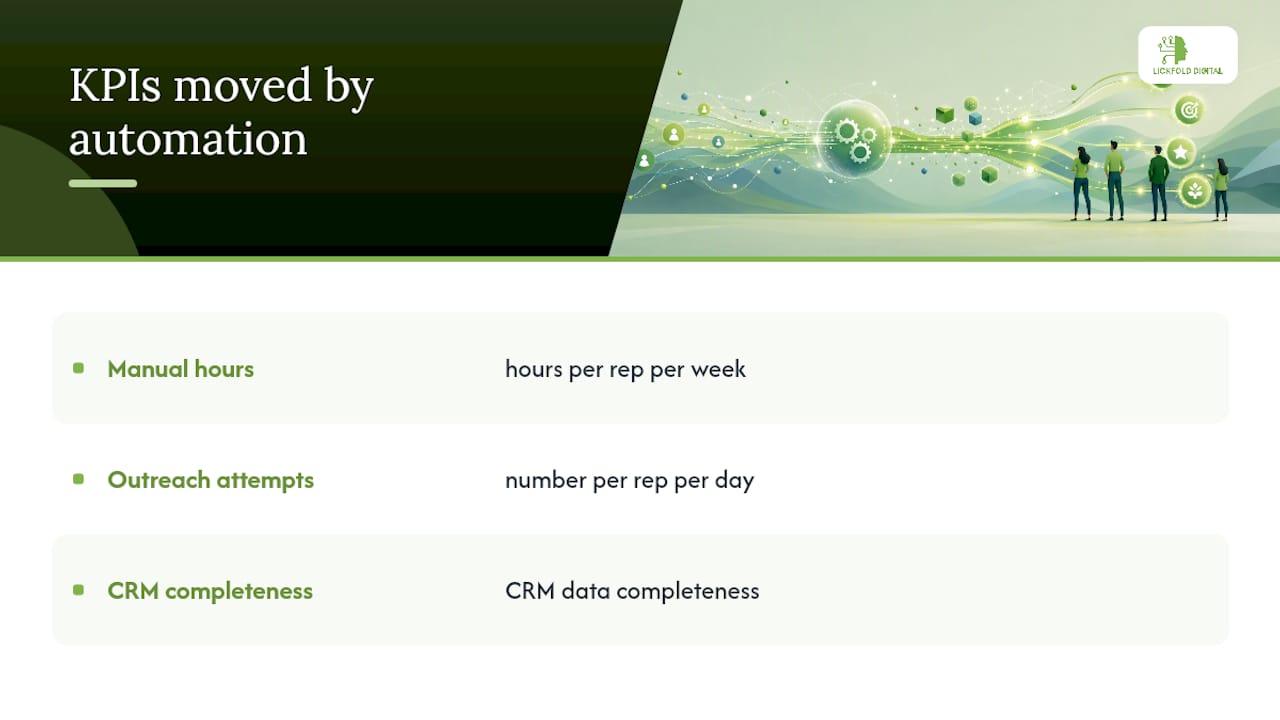
Reps doing manual prospecting spend a large portion of their week on research, data entry, and follow-up logging. Automation handles all three. The practical result is more selling time per rep without adding headcount. Prospecting efficiency is one of the fastest-moving metrics after a pilot launches because the time savings are immediate and measurable.

KPIs it moves: hours of manual work per rep per week, number of outreach attempts per day, CRM data completeness.
Faster response time
Speed-to-first-contact is the single highest-leverage metric for many teams. Research consistently shows that persistence and speed are the behavioral levers automation enforces most reliably, and that manual teams fail to maintain both at scale. A lead that waits hours for a first response converts at a fraction of the rate of one contacted within minutes.
KPIs it moves: lead response time (target: under five minutes for high-intent leads), speed-to-first-contact, contact rate.
Higher lead quality
Scoring and enrichment mean reps only work leads that meet a minimum fit threshold. Poor-fit leads enter a long nurture or are disqualified automatically. This is not just about saving rep time; it also improves close rates because reps are pitching to people who actually match the ICP.
KPIs it moves: lead-to-opportunity conversion rate, win rate, average deal size.
Personalization at scale
Sequences can pull in company name, industry, recent funding events, tech stack, and the specific page a prospect visited. That context makes outreach feel relevant rather than generic. The key is using real data signals, not just a first-name merge tag. AI-driven outreach can match message content to the prospect’s stage and behavior without a rep writing each email individually.

KPIs it moves: reply rate, email open rate, sequence engagement rate.
Sales and marketing alignment
When both teams share the same lead data and routing rules, the “marketing sends garbage leads” and “sales ignores our MQLs” arguments disappear. Automation enforces the SLA: a lead that hits a score threshold gets routed to sales within a defined window, and the handoff is logged. Neither team can claim ignorance.
KPIs it moves: MQL-to-SQL conversion rate, lead response SLA compliance, pipeline attribution accuracy.
Scalability and pipeline predictability
A manual team’s output is capped by headcount. An automated system can run sequences across hundreds of prospects simultaneously, maintain consistent follow-up, and scale volume up or down without hiring cycles. Many marketing automation users report increased lead volume when automation is paired with clear processes, which translates directly to a more predictable pipeline.
KPIs it moves: total leads generated per month, pipeline coverage ratio, forecast accuracy.
Lower customer acquisition cost
Replacing manual prospecting cycles with automated sequences reduces the cost per qualified lead. AI-driven prospecting can reduce cost per lead and increase conversion rates versus traditional manual approaches, with measurable ROI appearing within months in B2B contexts. The cost savings compound as sequences improve: better targeting means less wasted outreach, which means lower spend per booked meeting.
KPIs it moves: cost per lead (CPL), cost per meeting booked, CAC.
Which KPIs to track and when to expect results
Automated follow-up systems link these metrics directly to revenue outcomes: reply rates and response time are not vanity metrics but leading indicators of pipeline velocity.
Dashboard slices to prioritize:
- By lead source (which channels produce the highest-quality leads)
- By sequence (which message cadences drive the most replies and meetings)
- By rep (who is following up on routed leads and who is not)
- By ICP segment (which company profiles convert at the highest rate)
Pro Tip: Set your 30-day goal as “establish baselines,” not “hit targets.” You cannot optimize what you have not measured, and most teams underestimate how much their pre-automation metrics will surprise them.
Automated workflows you can copy today
Demo request: high-intent fast-track
Trigger: Form submission tagged as “demo request.”
- Minute 0: Instant confirmation email with calendar link (automated)
- Minute 2: Internal Slack/CRM alert to assigned rep (automated)
- Hour 1: Rep makes a manual call attempt (human)
- Hour 4: Follow-up email if no response, referencing the demo request specifically (automated)
- Day 2: LinkedIn connection request from rep (human or semi-automated)
- Day 3: Final email with a low-friction alternative (short video, case study link)
Exit condition: Lead books a meeting or replies at any point. Sequence stops immediately.
Content download: nurture sequence
Trigger: Gated content downloaded (e.g., a guide or checklist).
- Immediate: Delivery email with the content asset
- Day 2: Related insight email (one practical tip tied to the content topic)
- Day 5: Case study or social proof email
- Day 8: Soft CTA email (offer a call or a more advanced resource)
- Day 12: Final check-in with a direct question
Exit condition: Any reply, meeting booked, or lead scores above threshold and routes to sales.
Pricing-page visitor: immediate alert + senior rep handoff
Trigger: Known company visits the pricing page (identified via visitor-identification tool).
- Minute 1: Rep alert with company name, page visited, and time on page
- Hour 1: Personalized outreach referencing the company’s likely use case (not “I saw you on our site”)
- Day 2: Follow-up with a relevant comparison or ROI framing
Exit condition: Reply, meeting booked, or no engagement after three touches.
Abandoned form: recovery sequence
Trigger: Form started but not submitted (tracked via session data).
- Hour 1: Single recovery email with a frictionless alternative (e.g., “Rather just talk? Book 15 minutes here”)
- Day 3: One follow-up if no response
Exit condition: Form completed, meeting booked, or no response after two touches.
Effective lead nurturing sequences use personalization variables beyond the first name: company industry, the specific content downloaded, or the product page visited. That context is what separates a sequence that feels relevant from one that feels like a mail merge.
Personalization variables worth using: company name, industry vertical, page or content visited, company size band, recent funding or hiring signals, and the rep’s name and title in the signature.
A 7-step playbook to launch and scale automation
Step 1: Define your ICP and success metrics
Before touching any tool, write down who you are targeting (industry, company size, title, geography) and what “success” means in numbers. Pick two or three KPIs from the table above. Teams that skip this step automate noise.
- Checklist: ICP documented, success KPIs agreed on by sales and marketing, baseline metrics pulled from CRM
Step 2: Map your lead sources
List every place a lead can enter your system today: web forms, ad campaigns, inbound calls, trade show lists, outbound prospecting lists, referrals. Each source needs its own routing logic.
- Checklist: All sources listed, UTM parameters in place for digital sources, source field populated in CRM
Step 3: Choose a minimal stack and assign owners
You do not need ten tools on day one. A CRM, an email automation platform, and one enrichment source cover most pilots. Assign a named owner for each tool and for the overall program.
- Checklist: CRM confirmed as system of record, automation platform selected, enrichment source connected, owners named
Step 4: Build one pilot flow
Pick the single highest-value lead source (usually demo requests or pricing-page visitors) and build one sequence end-to-end. Starting with one high-value flow and measuring it before expanding is consistently faster than trying to automate every source at once.
- Checklist: Trigger defined, sequence steps written, exit conditions set, CRM logging confirmed
Step 5: Set scoring and routing rules
Define the minimum score for a lead to route to sales. Set the SLA: how quickly must a rep follow up on a routed lead? Document it and build an alert if the SLA is missed.
- Checklist: Scoring model documented, routing rules live in the platform, SLA defined and monitored
Step 6: Run the pilot with a clear measurement window
Run the pilot for 30 days without changing the sequence. Measure against the baselines from Step 1. Resist the urge to tweak mid-flight; you need clean data.
- Checklist: Pilot duration set (30 days minimum), no mid-flight changes, weekly data pull scheduled
Step 7: Iterate and scale
After 30 days, review drop-off points, reply rates, and meeting conversion. Change one variable at a time. Once the pilot sequence performs consistently, replicate the model for the next lead source.
- Checklist: Post-pilot review meeting scheduled, one optimization identified, expansion roadmap drafted
Pro Tip: Privacy and consent are not optional checklist items. Before any sequence goes live, confirm that every contact has a lawful basis for outreach under the applicable regulations (CAN-SPAM, GDPR for EU contacts, CASL for Canadian contacts). Build consent capture into your forms from day one, not as an afterthought.
For a deeper step-by-step breakdown, the AI prospecting guide covers agent-driven outreach and measurement in detail.
What belongs in your automation stack
The right stack depends on your team size and existing tools, but the functional layers are consistent across most B2B programs.
Capture layer: web forms, chatbots, ad platform integrations, visitor-identification tools. This is where leads enter the system. Gaps here mean lost data from the start.
Enrichment and identity: tools that append firmographic data, contact information, and intent signals to raw leads. Without enrichment, scoring models run on incomplete data.
Scoring engine: rules-based or AI-driven models that rank leads by ICP fit and behavioral signals. Can live inside your CRM or marketing automation platform.
Orchestration platform: the tool that runs sequences, manages branching logic, and enforces exit conditions. This is the operational core of the system.
CRM: the system of record. Every lead event, score change, routing decision, and rep action should log here. If it is not in the CRM, it did not happen.
Analytics and reporting: dashboards that surface the KPIs from the metrics section above, sliced by source, sequence, and rep.
Deliverability and warm-up for email: dedicated sending domains, warm-up protocols, and reputation monitoring. Skipping this layer is the fastest way to land in spam.
Integration priority order:
- CRM ↔ automation platform (routing and logging)
- Enrichment ↔ CRM (data completeness for scoring)
- Capture layer ↔ CRM (no leads lost at entry)
- Analytics ↔ CRM (attribution and KPI tracking)
- Deliverability tools ↔ email platform (reputation protection)
Selection criteria to apply when evaluating tools:
- Data model compatibility with your CRM (can it write to the fields you need?)
- Webhook support for real-time triggers
- Native A/B testing for sequences
- Deliverability controls (dedicated IPs, warm-up, bounce handling)
- SLA for handoff alerts (does it notify reps in real time?)
Buyer reviews on platforms like Capterra consistently flag integration depth and deliverability controls as the top selection criteria, which aligns with what breaks most pilots in practice.
What goes wrong and how to prevent it
Poor data hygiene
Automation amplifies bad data. If your CRM has duplicate records, missing fields, or stale contacts, your sequences will fire to the wrong people with the wrong context. Run a data audit before launch, not after.
- Mitigation: deduplicate records, validate email addresses, enforce required fields at capture, and schedule a monthly data review.
Email deliverability damage
Sending high-volume sequences from a primary domain without warm-up protocols is one of the most common ways teams destroy their sender reputation. Recovery takes weeks.
- Mitigation: use dedicated sending domains, run a warm-up protocol before scaling volume, monitor bounce rates and spam complaint rates weekly, and keep unsubscribe handling clean.
Sequences without exit conditions
A sequence that does not stop when a prospect replies or books a meeting is one of the fastest ways to damage a relationship. This happens more often than teams expect, especially when sequences are built quickly.
- Mitigation: every sequence must have explicit exit conditions: reply received, meeting booked, unsubscribe clicked, or manual removal by rep. Test exit logic before launch.
Fake personalization
Inserting a company name or a job title into a template does not make outreach personal. Prospects recognize it immediately. The best practice is to automate logistics (acknowledgements, alerts, logging) and keep substantive qualification and relationship-building human.
- Mitigation: use behavioral signals (page visited, content downloaded, event attended) as personalization context, not just firmographic fields. If the personalization variable is wrong or missing, the message should not send.
Compliance slip-ups
CAN-SPAM, GDPR, and CASL each have specific requirements for commercial email. Automated systems can fire thousands of emails before anyone notices a compliance gap.
- Mitigation: build consent capture into every form, include unsubscribe links in every email, maintain suppression lists, and review compliance requirements for each market you target.
Governance basics:
- Name one owner for the automation program (not a committee)
- Document a runbook for each sequence (trigger, steps, exit conditions, owner)
- Schedule a monthly review of deliverability metrics, sequence performance, and data quality
Pro Tip: Build a “human-in-the-loop” checkpoint for any lead that scores above your SQL threshold. Automation should route and alert; a human should confirm fit before a rep invests significant time. That one checkpoint prevents a lot of wasted sales cycles.
A real example: what AI-driven prospecting looks like in practice
Lickfold Digital’s AI-driven prospecting programs follow a structured sequence that illustrates how the benefits above translate into measurable outcomes for B2B clients.
Before automation (typical baseline for a new client):
- Lead sourcing: manual research by SDRs, inconsistent ICP targeting
- First-contact time: hours to days after a lead signal
- Follow-up completion: dependent on individual rep discipline, typically falling off after two touches
- Cost per qualified lead: high, driven by manual research and inconsistent outreach
After deploying AI-driven prospecting (representative outcomes):
- AI agents perform market research and decision-maker mapping continuously, producing a consistent flow of ICP-matched prospects
- Dedicated warm-up email accounts and ongoing reputation management keep deliverability high from day one
- Personalized multi-touch sequences run across email and LinkedIn without rep involvement until a prospect replies
- Human qualification confirms fit before passing the opportunity to the sales team, so reps receive warm leads rather than raw contacts
Key levers used:
- AI agents for precise ICP targeting and decision-maker identification
- Dedicated email infrastructure with warm-up and reputation monitoring
- Multi-touch outreach with behavioral branching
- Human qualification layer before handoff
The biggest lesson from running these programs: most teams underestimate how much of their pipeline problem is a follow-up persistence problem, not a lead volume problem. Automation enforces the follow-up discipline that manual teams cannot sustain at scale.
Real examples of AI agents in B2B prospecting show how this plays out across different industries and ICP profiles.
When automation helps most: a practitioner’s perspective
The companies that get the biggest return from automated lead generation share a few characteristics. They have a defined ICP (even an imperfect one), a CRM that is actually used, and at least one person who owns the program. They are usually running some outbound already, even if it is inconsistent, so they have a baseline to measure against.
Where automation underperforms is predictable: teams with no ICP clarity, a CRM full of junk data, or no human available to handle qualified replies. Automation amplifies what is already there. If the foundation is weak, it amplifies the weakness.
Readiness checklist before you launch:
- ICP documented with at least three firmographic criteria
- CRM in active use with source tracking on leads
- At least one person owns the automation program
- Email sending domain separate from the primary domain (or warm-up in progress)
- Basic consent and compliance review completed
- Success KPIs agreed on before launch
The teams that see the fastest results are not the ones with the most sophisticated stack. They are the ones that start with one sequence, measure it honestly, and iterate. AI-powered predictive lead generation adds another layer once the basics are working, but the basics have to come first.
Lickfold builds the pipeline so your team can close it
Most sales teams know they need better lead generation. The gap is execution: building the infrastructure, writing the sequences, managing deliverability, and qualifying replies takes time and expertise that most teams do not have spare.
Lickfold handles the entire outbound pipeline as a managed service, so your team receives warm, qualified leads rather than a list to work through.
What the service includes:
- AI agents that identify ICP-matched decision-makers and run personalized multi-touch outreach continuously
- Dedicated email infrastructure with warm-up protocols and ongoing reputation management, so deliverability stays high
- Human qualification of every reply before it reaches your sales team
When a managed service makes more sense than building in-house: your team is already stretched, you want results in weeks rather than months, or you have tried automation before and hit deliverability or data quality walls.
If you are ready to move from planning to pipeline, see what Lickfold delivers and book a conversation with the team.
Sources
- Automated Lead Generation for Business: How AI and Automation Are Transforming Customer Acquisition – MarTechDepot
- Automated Lead Follow-Up System: Convert More Leads
- Automated Lead Generation: the Complete Guide